







Pop-up ads that appear while browsing websites are more than just a nuisance as they can also be a serious security risk. While many sites use pop-ups for legitimate purposes like newsletters or promotions, others host deceptive ads designed to trick users into clicking. Knowing which types to avoid can help keep your personal information and devices safe.
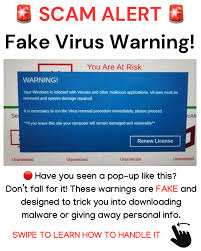
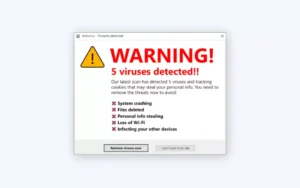 One of the most common dangerous pop-ups you’ll encounter on websites is the fake virus alert. These often appear suddenly while you’re reading an article or streaming content, claiming your device is infected and needs immediate action. They may use flashing graphics, countdown timers, or familiar logos to look legitimate. In reality, they are designed to scare you into clicking a link or downloading software that could harm your device.
 Another increasingly common version is the full-screen black pop-up with bright blue or white text, which can make it look like your browser or computer has crashed. These often appear to lock your screen and may include instructions to call a phone number, click a button to “fix” the issue, or scan a QR code. These are not real system warnings. Instead, they are scam ads embedded in websites. Interacting with them can lead to fake tech support scams or malware installation.
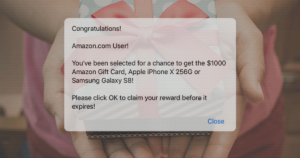 You should also be cautious of “You’ve won!” pop-ups that appear while browsing. These ads claim you’ve been selected for a prize, such as a gift card or free product. They are especially common on free streaming or gaming sites. Clicking them often leads to surveys or forms designed to collect your personal information or enroll you in unwanted subscriptions.
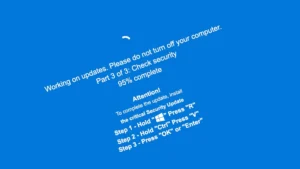 Another red flag is the fake update pop-up. While browsing, you might see a message saying your browser, video player, or software is outdated and needs to be updated immediately. Legitimate updates don’t come from random websites. They come from your device’s settings or official applications. Clicking these pop-ups can result in downloading harmful files.
It’s also helpful to understand how legitimate ads typically appear on websites. Many websites use advertising networks like Google Adsense and are often tailored to your browsing history,meaning you’ll usually see products, brands, or services that feel familiar or relevant to you. For example, if you’ve recently searched for shoes, you might see ads from recognizable retailers. These ads are usually clearly labeled as “sponsored” or “ad” and don’t demand urgent action. In contrast, scam pop-ups often promote unfamiliar companies, use aggressive language, or appear completely unrelated to your interests. If an ad seems out of place or overly alarming, that’s a strong sign it shouldn’t be trusted and you should not click the ad.
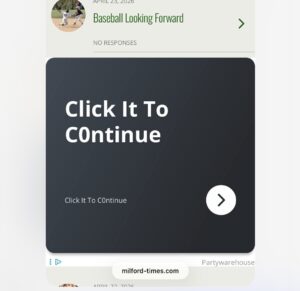
Another type to watch out for is the bare-bones “Click here” pop-up, sometimes written with typos like “clik here” or “click hear.” These ads often have little to no context, branding, or explanation, just a button or link urging you to click. Legitimate advertisers don’t rely on vague instructions or sloppy wording. These minimal, poorly written pop-ups are a major red flag and are often used to redirect users to malicious sites, trigger unwanted downloads and can even link to pornography and illegal sites.
To protect yourself, never click on suspicious pop-ups while browsing. Instead, close them using your browser’s close button or tab controls. If a pop-up seems to freeze your screen, use your device’s task manager or force quit option to exit the browser. Installing an ad or pop-up blocker and avoiding unreliable websites can also significantly reduce your exposure to these scams.
When browsing the web, remember: if a pop-up seems overly urgent, alarming, or too good to be true, it’s best to ignore it. Staying cautious can help you avoid falling victim to online scams. If you encounter one on a legitimate website, use the Contact Us link to let them know they may have malware infecting their site. Owners of the site may not see the same advertisements.
If you do click on an ad accidentally or because the ad looked legitimate, run virus protection and anti-spyware immediately to remove any unwanted programs.